
Invoices & quotes
Create, send and track your documents.
Create quotes and invoices, track payments and expenses, automate follow-ups and centralize your business data in Turbo Tangerine.
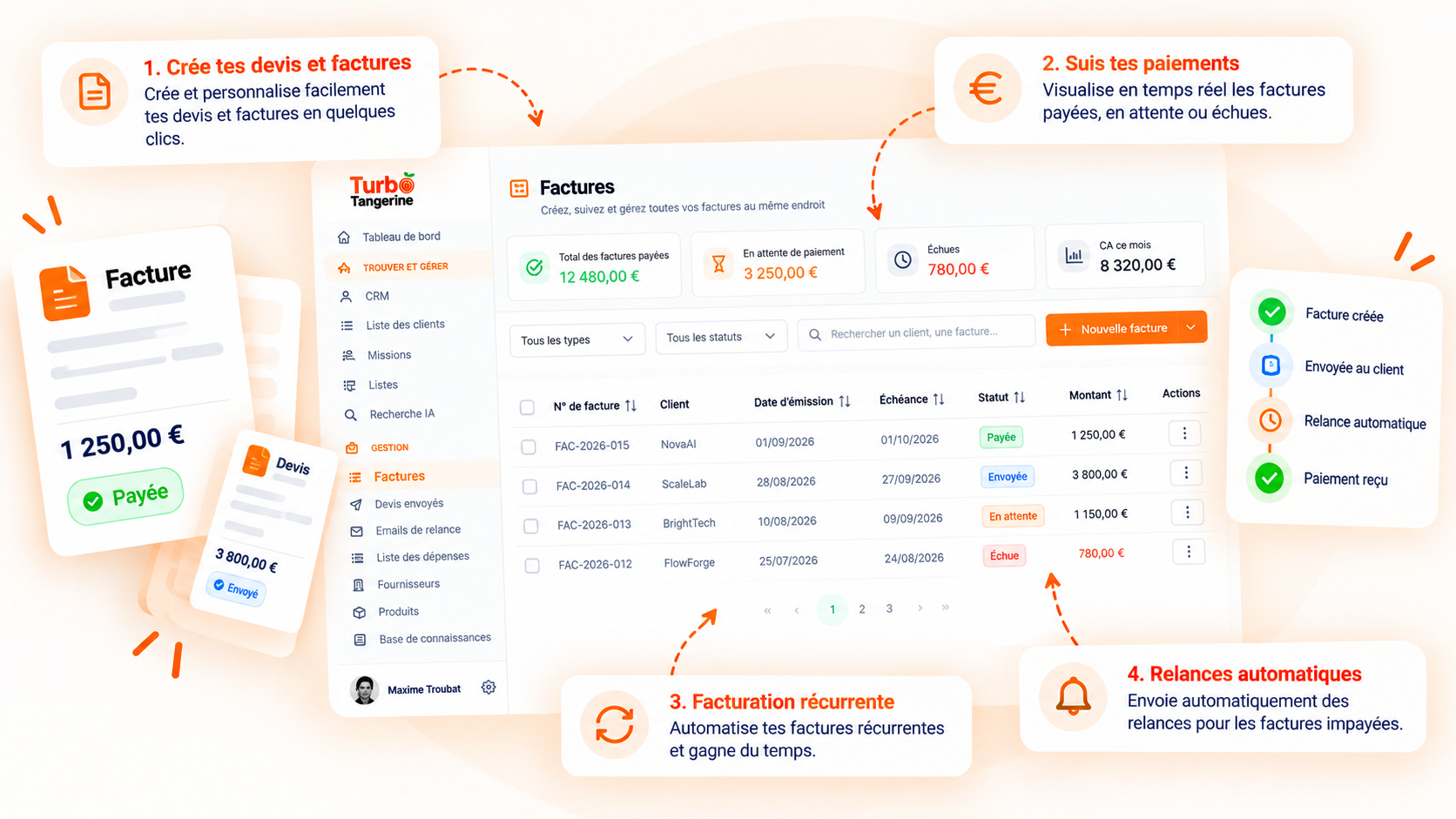
Create, send and track your documents.
Track settlements and follow up automatically.
Centralize your costs and receipts.
Reuse all your business data.
Every step is linked to your clients and projects. You always know what has been sent, paid or still needs attention.
Invoices, quotes, deposits, credit notes or receipts: prepare your documents from a single interface and track every settlement to the end.
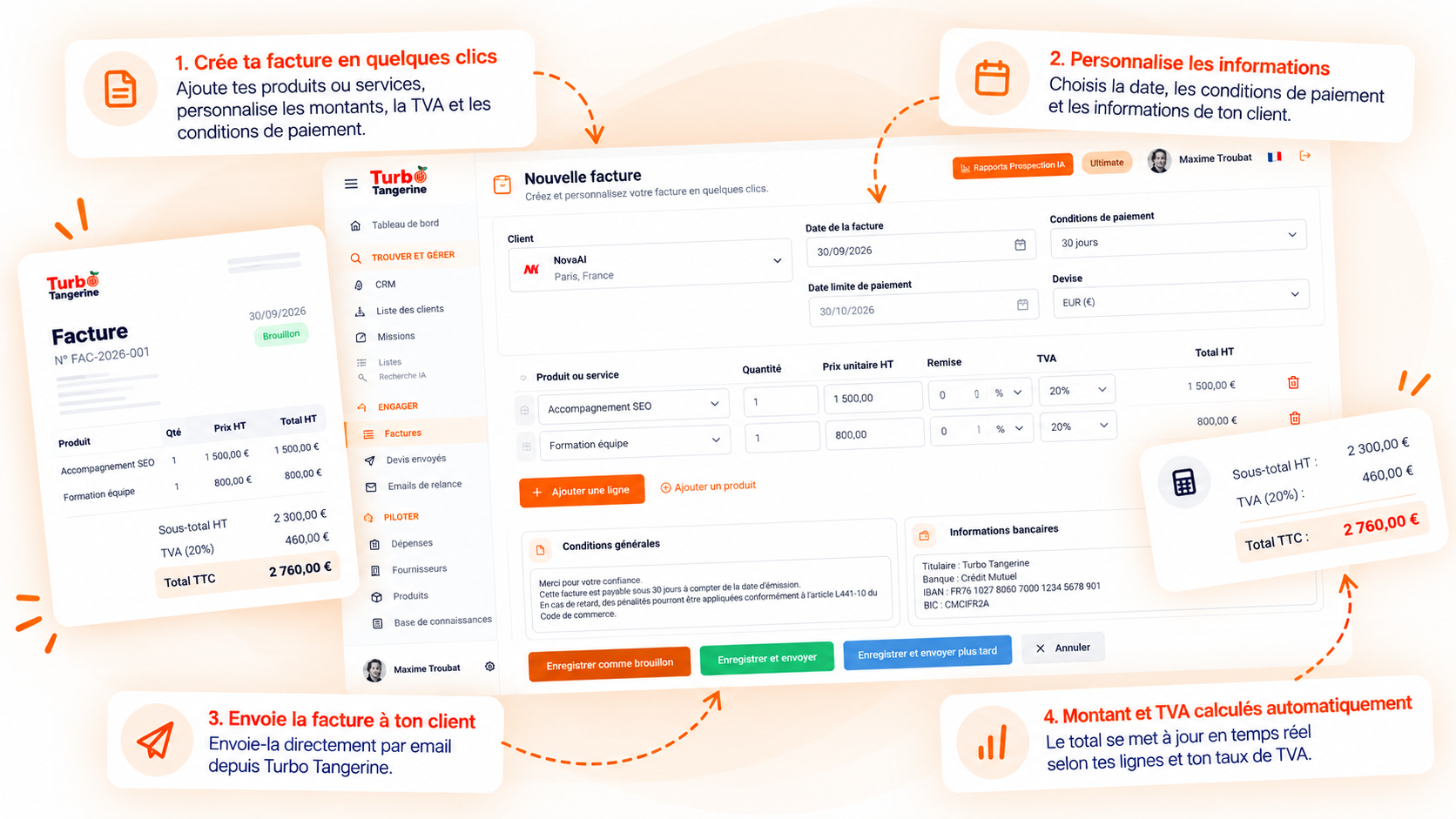
Set a frequency, Turbo prepares your next invoices.
Remaining balance recalculated automatically.
Follow up with a client directly from their invoice.
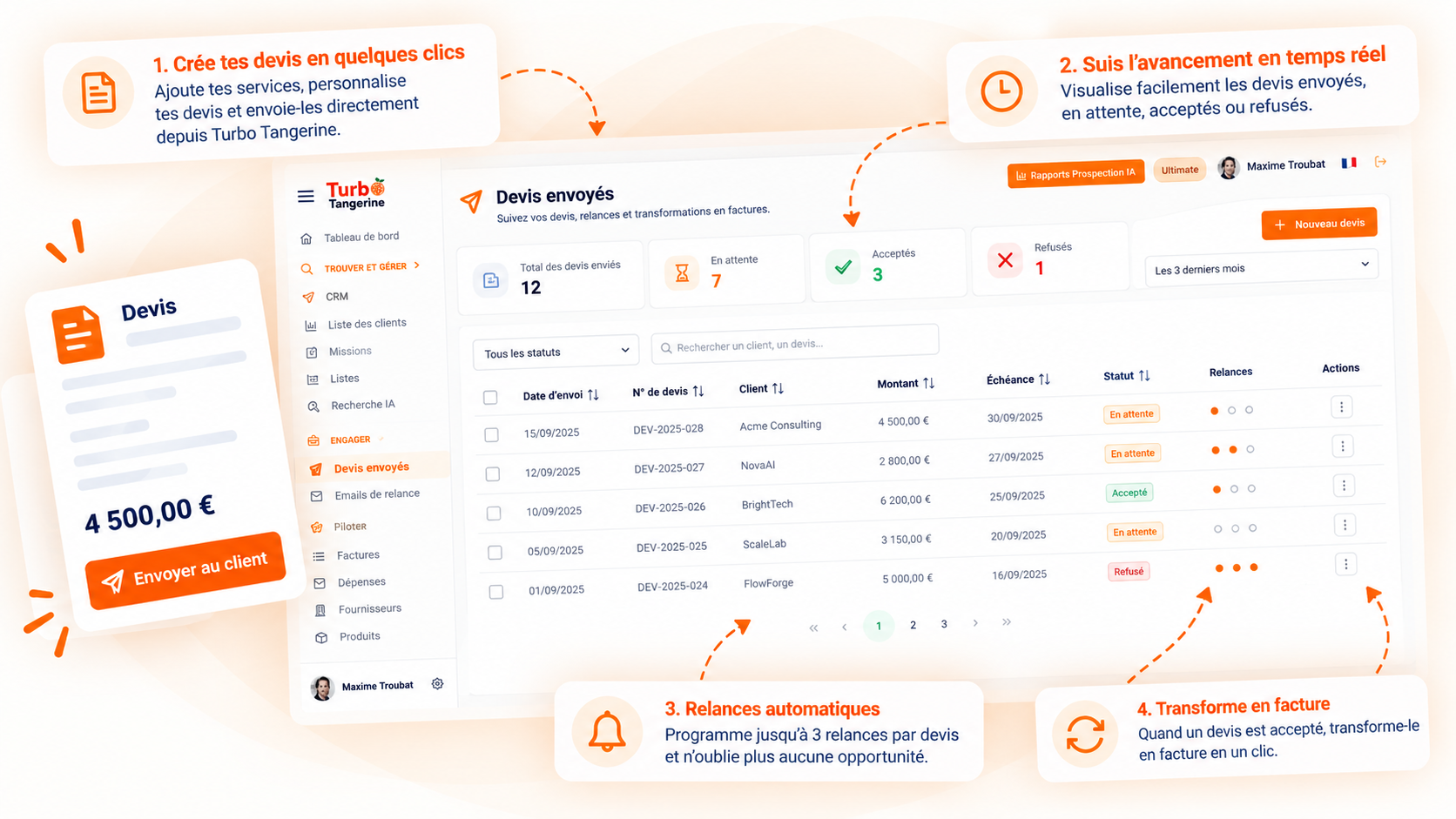
Track your proposals after sending, schedule your follow-ups and convert the accepted quote into an invoice without re-entering data.
Choose when to follow up after sending.
Upcoming, to process, sent or failed.
Personalize every message automatically.
Turn an accepted quote into an invoice in one click.
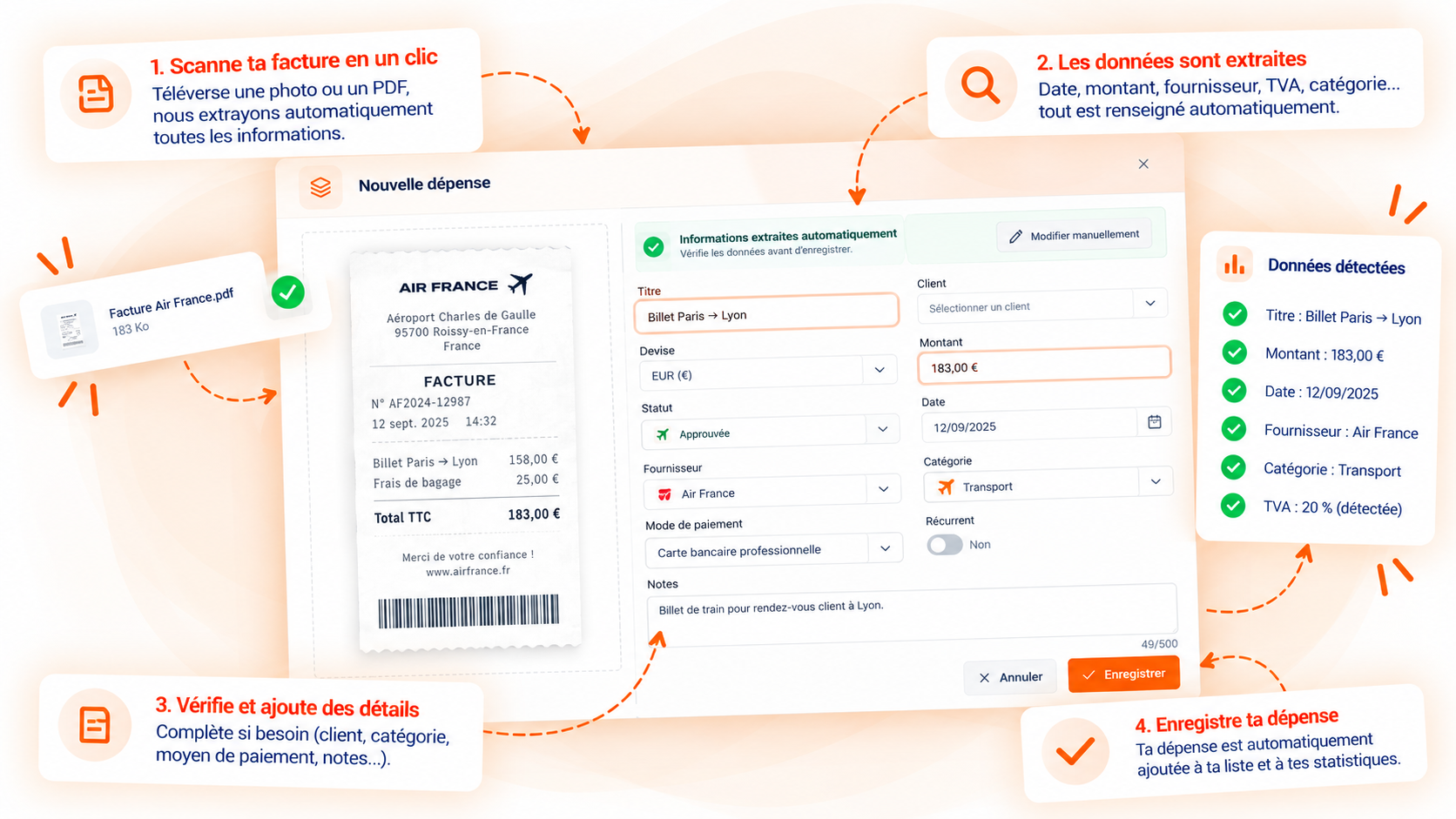
Import an invoice or a receipt. Turbo Tangerine automatically detects the available information and prepares your expense.
The total for the period.
What has already been settled.
Payments still to come.
Expenses that need fixing.
Products, services and suppliers: your invoicing data stays structured and reusable.
Save your services, prices, currencies and VAT rates to reuse them in your quotes and invoices.
Centralize contact details, categories, payment terms and tax information of your suppliers.
Attach reference web pages and documents to each client or project to power the AI features of Turbo Tangerine.
Select the relevant pages.
Import your reference documents.
Every client keeps their own context.
Create your invoices in Turbo Tangerine and handle your e-invoicing obligations without changing tools.
Your information stays connected at every step, without re-entering data or multiplying tools.
Prospect, convert, invoice and track your settlements from Turbo Tangerine.
Start for free and keep your management connected to the rest of your business.